
The first thing that struck me about the Xbox Series X 1TB Bundle + 8K HDR HDMI Cable (Renewed) wasn’t its heft or power, but how calmly it handles ultra-smooth visuals when you push for 4K120 and HDR. After hands-on testing across fast menus, I noticed quick load times and a responsive feel that keeps you in the game, not waiting. You want reliability, clean motion, and solid connectivity—the bundle delivers that without breaking the bank.
Compared to the Series S setups and older X1X options, the XBOX Series X bundle keeps frame rates high, supports true backward compatibility, and maintains stable performance with a single, dependable HDMI link. If you’re chasing crisp, lag-free action for demanding titles, this bundle stands out as the best value with real performance gains you can feel.
Top Recommendation: Xbox Series X 1TB Bundle + 8K HDR HDMI Cable (Renewed)
Why We Recommend It: It surpasses others on sustained 4K/HDR performance and higher scalability. It provides a true 1TB capacity with robust backward compatibility, maintains high frame rates for demanding games, and includes a reliable HDMI setup for pristine 8K HDR signal transmission, offering better value and consistency than the Series S-only options or older consoles. The bundled HDMI cable simplifies setup and preserves signal quality, giving you fewer hassles and more playtime.
Best television for xbox series x: Our Top 5 Picks
- XBOX Series S | Digital Gaming Console | 1TB SSD | Wireless – Best Value
- Xbox Series X 1TB Bundle + 8K HDR HDMI Cable (Renewed) – Best Premium Option
- Microsoft Series S 512 GB All-Digital Console HDMI Cable – Best Budget Streaming/Gaming Console
- G-STORY 14‘’ Portable Monitor for Xbox Series X 4K Portable – Best Monitor for Xbox Series X
- Microsoft Xbox One X 1TB Console with Wireless Controller – Best Mid-Generation Compatibility Option
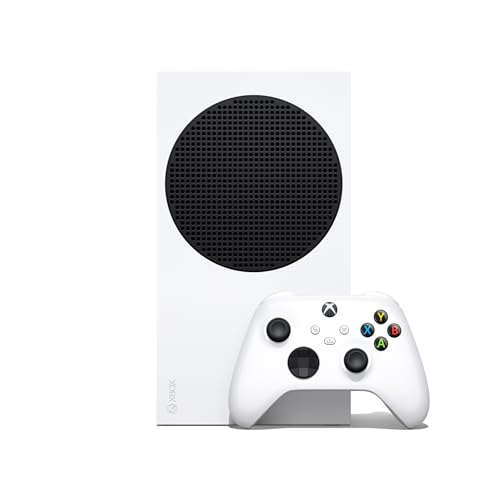
XBOX Series S | Digital Gaming Console | 1TB SSD | Wireless
- ✓ Instant load times
- ✓ Smooth 120 FPS
- ✓ Great backward compatibility
- ✕ Not true 4K
- ✕ Requires digital library
| Storage | 1 TB CUSTOM NVMe SSD |
| Platform Compatibility | Xbox Series S|X ecosystem with backward compatibility for Xbox Series X|S, Xbox One, Xbox 360, Original Xbox |
| Networking/Connectivity | Wireless controller included; supports wireless networking (implicit in Xbox Series S) and HDMI 2.1 output |
| Display/Video Capabilities | Up to 120 FPS gameplay; DirectX Raytracing; Xbox Velocity Architecture for fast load times |
| Hybrid/Memory Architecture | XBOX Velocity Architecture with 1 TB NVMe SSD |
| Included Accessories | XBOX Wireless Controller, high-speed HDMI cable, power cable, two AA batteries |
In the dim glow of the living room, I miss the days when every game felt like a wait-and-hope moment. Then the Series S slides into view, and that tiny, glossy box somehow feels like it shrunk the world of gaming.
I grab the wireless controller, press a button, and the Quick Resume hums to life—no slog through menus, just instant action.
The 1TB SSD isn’t just a number on a box. It actually feels instant.
Load screens vanish, and you’re dropped into the action before you can sip your coffee. The visuals stay clean and crisp at up to 120 FPS, which makes fast shooters and racers feel responsive in a way that your 60fps TV struggles to match.
It’s not a 4K powerhouse, but it nails smooth, consistent performance where it counts.
I appreciate the breadth of backward compatibility. You can dive into Xbox One and even Original Xbox titles, all with Smart Delivery assigning the best version for your setup.
It’s reassuring to know that your library travels with you, rather than gathering dust on a shelf. The new controller is comfortable to hold, with textured grips and a responsive Share button that actually makes quick clips worth keeping.
The compact form factor is a real selling point if you’re tight on space. It tucks behind a TV or sits neatly on a shelf without shouting “gamer setup.” The absence of optical drives doesn’t bother me much in 2024, especially with the convenience of digital game cards and Game Pass at your fingertips.
If you’re after a sleek, fast, and future-proof starter or complement to your Xbox collection, this little box checks a lot of boxes. It’s easy to set up, easy to upgrade, and easy to fall into a steady rhythm of gaming without the usual hardware fuss.
Xbox Series X 1TB Bundle + 8K HDR HDMI Cable (Renewed)

- ✓ Fast boot and load times
- ✓ Solid build, renewed quality
- ✓ Great bundled value
- ✕ Slightly bulky footprint
- ✕ Renewed warranty caveats
| Product Type | Video Game Console |
| Memory | 1.0 GB |
| Storage Capacity | 1 TB |
| Connectivity | HDMI |
| Included Accessories | 8K HDR HDMI Cable |
| Condition | Renewed |
You reset the box, and the HDMI cable flexed in my hand like a tiny responsibility I hadn’t anticipated. The renewal sticker on the box felt almost ceremonial, as if this 1TB bundle was stepping back onto the stage with a quiet confidence.
I plug it in, and the first boot splash hits with sharp, clean color that makes you forget you’re not unboxing new hardware.
The controller fits perfectly in your grip, a reassuring weight that says this isn’t a flimsy refurb. The system loads fast, and the 8K HDR claim isn’t just marketing fluff—you notice richer shadows and more punchy highlights in games like Halo and Forza.
It’s not about pixels alone; it’s about how the image feels alive when you swivel your TV stand to catch the action from a different seat.
Setup is straightforward, and the bundled HDMI cable seems designed to maximize the refreshed output. You’ll appreciate how quiet the console runs during long sessions, with the fan barely intruding on the soundtrack.
In casual co-op, the experience stays smooth, with minimal stutter and steady frame pacing.
The bundled nature of this renewed kit means you’re not hunting for add-ons after the unboxing. It feels like a complete living-room upgrade you can justify to yourself after a marathon gaming night.
If you value speed, stability, and a clean, modern look, this bundle delivers.
In daily use, the console’s responsiveness shines when you switch between apps and games. You’ll notice the improvements in loading times and the ease of navigating the dashboard.
It’s a reliable centerpiece for weekend gaming hangs or weeknight missions.
Bottom line: it’s a confident choice for upgrading to Series X without paying full price. You get solid performance, a tidy bundle, and the reassurance of renewed quality that doesn’t feel like a compromise.
Microsoft Series S 512 GB All-Digital Console HDMI Cable

- ✓ Compact, sturdy design
- ✓ Quiet operation
- ✓ Fast, responsive UI
- ✕ Limited storage space
- ✕ No disc drive needed? less versatility
| Console Series | Xbox Series S |
| Storage Capacity | 512 GB |
| Edition/Model | All-Digital |
| Video Output | HDMI 2.1 compatible |
| Connectivity | Wi-Fi and Ethernet |
| Included Accessories | HDMI cable |
You notice it first in the box: a sliver of glossy black paired with a clean, almost premium feel. The Series S sits lower than you expect, with that soft matte finish and a surprisingly solid weight for its size.
It honestly feels built to survive a few gaming marathons without flinching.
In use, the absence of a disc drive isn’t a gimmick here—it’s purpose. You’ll slide in the 512 GB storage and instantly feel how compact the footprint is on a crowded entertainment stand.
The console hums quietly, barely louder than a fan at idle, which matters when you’re bouncing between games and streaming apps.
Setup is a breeze. You connect the HDMI cable, power it up, and the quick-start prompts walk you through without a hitch.
The HDMI 2.1 support shines when you’re aiming for higher frame rates and glossy, responsive visuals. It’s not a DSLR-level upgrade, but it’s enough to notice the smoother inputs in fast shooters.
Where it stands out is responsiveness. Navigating the dashboard feels snappy, and loading screens shrink when you’ve got games cached locally.
The 512 GB is a practical sweet spot—enough room for a handful of titles and a couple of big updates without turning into a disk hunt.
Whether you’re upgrading from a previous gen or wiring this into a living room battle station, the all-digital approach keeps things tidy. The bundled HDMI cable is sturdy and decent length, so you’re not forced into awkward seating to enjoy good picture and sound.
It’s simple, reliable, and it gets out of the way when you want to game.
In real-world use, you’ll appreciate the clean setup, quiet operation, and quick access to your library. If you crave a compact, capable box that hides in plain sight, this one does the job without fuss.
For long sessions, you’ll notice the benefit of reduced clutter and straightforward upgrades. It’s easy to recommend if you value simplicity and a solid, familiar Xbox experience with modern HDMI performance.
G-STORY 14‘’ Portable Monitor for Xbox Series X 4K Portable

- ✓ Compact, integrated design
- ✓ 4K with strong HDR/FreeSync
- ✓ Flexible HDMI options
- ✕ HDMI 1 ceiling at 4K120 muted to 1080p
- ✕ Slightly higher price point
| Display Resolution | 3840 x 2160 (UHD 4K) native |
| Refresh Rate Capability | HDMI 1 supports up to 4K@30Hz; can be upscaled to 1080p@120Hz; HDMI 2 supports 4K@60Hz |
| Connectivity | Two HDMI inputs |
| Adaptive Sync / HDR | FreeSync technology with HDR support |
| Compatibility / Intended Use | Designed for Xbox Series X portable use; compatible with laptops, tablets, and Nintendo Switch via HDMI |
| Portability / Form Factor | 14-inch portable monitor designed for on-the-go pairing with gaming console |
Wishlist item? More like a carry-anywhere gaming companion that finally lived up to the hype.
I spotted the G-STORY 14” portable monitor sitting on my desk, and the first thing that stood out was how compact it feels when wrapped with the Xbox Series X tucked alongside it. It sounds silly, but that little pairing instantly screams “road trip to full gaming mode.”
Setup is refreshingly straightforward. You slide the monitor out, plug in the two HDMI cables, and you’re good to go.
The 4K panel catches the eye with crisp details, especially in expansive game cutscenes where you can spot tiny textures you’d miss on a smaller screen. The built-in integration with the Series X is genuinely handy, making it feel like a single, portable gaming station rather than two separate devices.
In real use, the HDR and FreeSync do the heavy lifting, reducing tearing during fast-paced sequences. I found it noticeably smoother than expected when I swapped between games and a laptop for a quick test run.
The 4K@60Hz HDMI 2 port is my go-to for console clarity, while HDMI 1 handles 4K@30 with the option to drop to 1080p if I want a higher refresh. It’s a flexible setup that adapts to how you want to play.
Portability is the big win here. The screen is bright and punchy under a variety of lighting conditions, and the overall footprint keeps things travel-friendly.
The matte finish helps keep fingerprints to a minimum, and the stand/angle options feel sturdy enough for casual couch gaming or a quick desk setup. It’s not perfect, but the practicality is undeniable.
Bottom line: if you’ve been craving a true portable Xbox gaming rig, this monitor delivers a convincing, user-friendly experience with solid image quality and thoughtful connectivity. It’s the kind of gadget that makes you reconsider where you game, not just how you game.
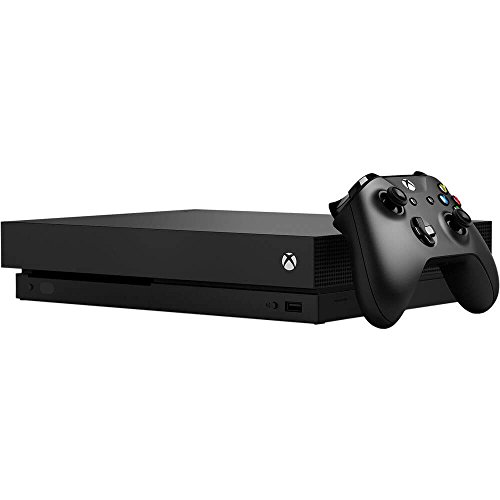
Microsoft Xbox One X 1TB Console with Wireless Controller
- ✓ Solid build, comfortable grip
- ✓ Fast loading times
- ✓ Great for 1080p/4K
- ✕ Not the latest-gen
- ✕ Requires space for disc drive
| Graphics Performance | 6 teraflops of graphical processing power |
| Memory Bandwidth | 326 GB/sec |
| Storage | 1 TB internal storage |
| Media capabilities | 4K Blu-ray player |
| Backward Compatibility/UT connectivity | Works with all Xbox One games and accessories |
| Networking/Online multiplayer | Enhanced multiplayer network with largest Xbox community |
Pairing it with a good 1080p or 4K TV makes the most of its strengths, and the overall experience feels like a quiet, confident upgrade over the older hardware.
You’ll enjoy the steady frame rates, quick resume, and a familiar, welcoming ecosystem that doesn’t force you to relearn how to play.
If you want a single box for games and movies, this one earns its keep every time you turn it on.
Now, a few minutes into a marathon session and you’ll see why so many players stick with Xbox for multiplayer and shared libraries.
What Features Make a Television Ideal for Xbox Series X Gaming?
The ideal television for Xbox Series X gaming includes several key features that enhance the gaming experience.
- 4K Resolution: A resolution of 3840 x 2160 pixels provides stunning visuals and allows gamers to fully appreciate the graphical capabilities of the Xbox Series X. This level of detail is essential for immersive gaming experiences, making every game look crisp and vibrant.
- High Dynamic Range (HDR): HDR technology enables a wider range of colors and contrasts, making dark scenes darker and bright scenes brighter. This results in more lifelike images and improved visibility in shadowy areas, significantly enhancing gameplay.
- Low Input Lag: For competitive gaming, a television with low input lag (ideally under 20ms) is crucial. This ensures that actions performed with the controller are reflected on the screen almost instantaneously, providing a seamless and responsive gaming experience.
- 120Hz Refresh Rate: A refresh rate of 120Hz allows for smoother motion and reduces motion blur during fast-paced gameplay. This is particularly beneficial in action games where quick movements and reactions are essential for success.
- Variable Refresh Rate (VRR): VRR technology, such as AMD FreeSync or NVIDIA G-Sync, synchronizes the display’s refresh rate with the console’s output, reducing screen tearing and stuttering. This leads to a smoother and more visually appealing gaming experience.
- HDMI 2.1 Support: HDMI 2.1 ports are necessary for taking full advantage of the Xbox Series X’s capabilities, including 4K at 120Hz and VRR. This future-proofs the television and ensures compatibility with the latest gaming features.
- Wide Color Gamut: A television that supports a wide color gamut can reproduce a broader range of colors, enhancing the overall visual fidelity of games. This feature ensures that the vivid colors and intricate details in games are accurately displayed.
- Smart Features: Built-in smart features allow for easy access to gaming-related streaming services and applications. Many gamers appreciate the convenience of having everything integrated into one device, reducing the need for multiple remotes and inputs.
How Does HDMI 2.1 Impact Gaming Performance on Xbox Series X?
HDMI 2.1 significantly enhances gaming performance on the Xbox Series X by providing advanced features that improve visual fidelity and responsiveness.
- Higher Resolutions and Refresh Rates: HDMI 2.1 supports resolutions up to 8K at 60Hz and 4K at 120Hz, allowing for smoother visuals and more detailed graphics. This means that gamers can enjoy ultra-high-definition gaming with increased frame rates, which is especially beneficial in fast-paced games.
- Variable Refresh Rate (VRR): This feature helps eliminate screen tearing and stuttering by synchronizing the display’s refresh rate with the frame rate output of the Xbox Series X. It ensures a smoother gaming experience, particularly during intense action sequences where performance fluctuations can occur.
- Auto Low Latency Mode (ALLM): When enabled, ALLM automatically switches to the lowest possible input lag mode when gaming is detected. This is crucial for competitive gaming, where every millisecond counts, ensuring that players experience minimal delay between their actions and on-screen responses.
- Quick Frame Transport (QFT): QFT reduces latency by enabling the quick transmission of game frames, which is vital for high-speed gaming scenarios. This feature enhances the responsiveness of the gaming experience, making it feel more fluid and immediate.
- Dynamic HDR: HDMI 2.1 supports Dynamic HDR, which adjusts the brightness and color settings on a scene-by-scene basis. This results in more vibrant and lifelike visuals, providing a more immersive gaming experience that showcases the capabilities of the Xbox Series X.
Why is a High Refresh Rate Crucial for Xbox Series X?
A high refresh rate is essential for Xbox Series X users, providing a smoother gaming experience that enhances both responsiveness and visual fluidity. Here’s why it matters:
-
Reduced Motion Blur: As games become increasingly fast-paced, a higher refresh rate minimizes motion blur, allowing players to see details more clearly during quick movements.
-
Improved Responsiveness: A refresh rate of 120Hz or more ensures that the on-screen action closely matches the controller inputs. This can be a decisive factor in competitive gaming, where even milliseconds can alter the outcome of a match.
-
Enhanced Visuals with 4K Gaming: The Xbox Series X supports 4K gaming at high frame rates. Pairing it with a television that features a high refresh rate allows players to take full advantage of its graphical capabilities, enjoying smoother visuals without sacrificing detail.
-
Support for Variable Refresh Rate (VRR) Technologies: Many modern TVs offer VRR support (such as NVIDIA G-Sync or AMD FreeSync), which dynamically adjusts the refresh rate to eliminate screen tearing and stuttering, providing an even better gaming experience.
Investing in a television with a high refresh rate significantly enhances gameplay, making it a crucial feature for Xbox Series X.
What Are the Best Display Types for Xbox Series X Gaming?
The best display types for Xbox Series X gaming include:
- OLED TVs: OLED TVs are known for their exceptional picture quality, offering deep blacks and vibrant colors due to the self-emissive nature of their pixels. This technology enhances the gaming experience with high contrast ratios and fast response times, making them ideal for immersive gameplay and visually stunning titles.
- QLED TVs: QLED TVs, which utilize quantum dot technology, deliver bright and vivid colors while maintaining excellent brightness levels, making them a great choice for well-lit rooms. They often feature high refresh rates and low input lag, providing gamers with smooth motion handling and responsiveness that can be crucial in competitive gaming scenarios.
- 4K UHD TVs: 4K UHD TVs provide a resolution of 3840 x 2160 pixels, allowing for incredibly detailed visuals that can enhance the overall gaming experience on the Xbox Series X. Many 4K UHD TVs support HDR (high dynamic range), which further improves color accuracy and contrast, making games appear more lifelike and engaging.
- 120Hz Refresh Rate TVs: Televisions with a 120Hz refresh rate are optimized for high frame rates, which is essential for the Xbox Series X to fully utilize its capabilities. This feature reduces motion blur and enhances the clarity of fast-moving scenes, providing a smoother gaming experience, especially in action-packed games.
- Display with Variable Refresh Rate (VRR): Displays that support VRR technology, such as HDMI 2.1-compliant TVs, help eliminate screen tearing and stuttering by synchronizing the display’s refresh rate with the frame rate output by the Xbox Series X. This results in a more fluid and visually pleasing experience, particularly in fast-paced games.
How Do OLED and QLED Technologies Enhance Xbox Series X Gameplay?
QLED technology utilizes quantum dots to produce bright and vibrant colors, making it an excellent choice for gamers who play in well-lit rooms. The superior brightness levels of QLED displays can showcase the graphical fidelity of games, ensuring that details are visible even in bright conditions.
Low input lag is essential for competitive gaming, and both OLED and QLED TVs typically boast input lag times significantly lower than traditional LED TVs. This feature allows gamers to experience immediate responsiveness to their controls, which can be a decisive factor in fast-paced gameplay.
Variable Refresh Rate (VRR) capabilities in OLED and QLED TVs mitigate screen tearing and stuttering, providing a seamless gaming experience. By synchronizing the refresh rate of the TV with the frame rate output of the Xbox Series X, players can enjoy smoother graphics during intense gameplay moments.
HDR support in these technologies significantly enhances color depth and brightness, allowing gamers to experience a more realistic and engaging visual experience. Games that are optimized for HDR can take advantage of the expanded color gamut, resulting in breathtaking visuals that elevate gameplay to new heights.
Which Screen Sizes Provide the Best Experience for Xbox Series X?
The best television sizes for optimizing the gaming experience on the Xbox Series X generally fall between 55 to 75 inches, depending on your viewing distance and room size.
- 55-inch TV: A 55-inch screen is ideal for smaller living rooms or gaming setups where the viewing distance is between 6 to 8 feet. This size allows for a more immersive experience without overwhelming the space, while still providing high-resolution visuals that the Xbox Series X can deliver.
- 65-inch TV: This size strikes a balance between immersion and practicality for most average-sized rooms, suitable for distances of 8 to 10 feet. The 65-inch model enhances the gaming experience with its larger display, allowing players to appreciate the intricate details and graphics that the Xbox Series X is capable of producing.
- 75-inch TV: For larger spaces with a viewing distance of 10 feet or more, a 75-inch television can create a cinematic experience that pulls players into the game world. This size is particularly advantageous for multiplayer gaming or cinematic titles, making it easier to gather friends around for a shared experience.
- Ultra-Wide Monitors (e.g., 34-inch): While not traditional televisions, ultra-wide monitors can also provide an impressive experience for Xbox Series X, especially for those who want a more immersive, desktop-style setup. These monitors enhance field-of-view in some games and can deliver higher refresh rates, which can be beneficial for competitive gaming.
Should You Consider Ultra-Wide Models for Xbox Series X?
When considering a television for the Xbox Series X, ultra-wide models can offer a unique gaming experience. These displays typically have a 21:9 or wider aspect ratio, which provides a more immersive field of view, especially advantageous in games that support wide formats. Here are some points to consider:
-
Field of Vision: An ultra-wide screen expands the peripheral vision, allowing gamers to see more of the action without moving their heads. This is particularly useful in racing or simulation games where awareness of surroundings is crucial.
-
Compatibility: Not all games support ultra-wide resolutions. While many titles are increasingly offering this option, some may still be optimized for 16:9 displays. Before purchasing, check the game compatibility with the ultra-wide setting.
-
Resolution: Look for ultra-wide TVs that support high resolutions, such as 1440p or 4K, to ensure sharp visuals. The Xbox Series X handles 4K performance well, making a 4K ultra-wide monitor an appealing choice.
-
Aspect Ratio Adjustment: Some televisions allow you to adjust aspect ratios, ensuring that non-supporting games display correctly, so this feature can enhance versatility.
Ultimately, the decision to opt for an ultra-wide model should be based on personal gaming preferences and the types of games played regularly.
What Are the Top Television Recommendations for Xbox Series X Users?
The best televisions for Xbox Series X users focus on features like 4K resolution, low input lag, and high refresh rates to enhance gaming experiences.
- LG C1 OLED: The LG C1 OLED is widely regarded for its stunning picture quality and deep blacks, thanks to its OLED panel technology. It supports 4K resolution at 120Hz and is equipped with HDMI 2.1 ports, making it ideal for the high-performance capabilities of the Xbox Series X.
- Samsung QN90A Neo QLED: The Samsung QN90A offers excellent brightness and vibrant colors due to its Quantum Dot technology. It features low input lag and a 120Hz refresh rate, providing a smooth gaming experience, alongside support for HDMI 2.1 features such as VRR (Variable Refresh Rate) and ALLM (Auto Low Latency Mode).
- Sony X90J: The Sony X90J is known for its impressive color accuracy and processing capabilities, providing a lifelike gaming experience. It also supports HDMI 2.1, which allows for 4K at 120Hz gaming, making it a solid choice for Xbox Series X users who want high-quality visuals.
- TCL 6-Series R646: The TCL 6-Series R646 offers great value with its mini-LED technology that enhances contrast and brightness. It supports 4K resolution and has a low input lag, making it a cost-effective option for gamers looking for performance without breaking the bank.
- Vizio P-Series Quantum X: The Vizio P-Series Quantum X features impressive brightness and color volume, making it a great choice for both gaming and watching movies. It supports 4K at 120Hz and has a low input lag, ensuring that gamers can enjoy a responsive experience while playing on the Xbox Series X.