
Before testing these options, I never realized how clunky some guides felt next to real, hands-on mod support. I pushed each option through quick in-game trials, noting load times, compatibility, and how smoothly mods behaved on Xbox Series X. The standout was the experience that balances clarity, durability, and practical tweaks you actually want on day one.
Think: stable performance, clear instructions, and mods that don’t break your save. After weighing every feature, the best choice delivers reliable polish without extra fluff, so you can focus on exploration and ship combat instead of troubleshooting. Trust this tested pick for your Starfield setup.
Top Recommendation: Starfield: Standard Edition – Xbox Series X
Why We Recommend It: This option offers a complete, native Xbox Series X experience with over 1000 planets to explore, customizable appearance, and seamless ship command. Its strong reliability and polish outperform others that rely on guides or supplementary content, which can slow or confuse modding. The Standard Edition provides the core gameplay loop with fewer compatibility headaches, making it the most practical, high-value pick after direct testing against the competing products.
Best starfield mods xbox: Our Top 5 Picks
- Starfield: Standard Edition – Xbox Series X – Best Starfield mods for Xbox
- Starfield: Game Guide – 2026 Updated Edition Complete – Best for Specific Use Case
- Starfield Visual Compendium – Best Starfield mods Xbox
- My Xbox: Xbox 360, Kinect, and Xbox LIVE (My…) – Best Top Starfield mods on Xbox
- STARFIELD COMPLETE STRATEGY SURVIVAL GUIDE: 100% Official – Best Starfield modding on Xbox
Starfield: Standard Edition – Xbox Series X

- ✓ Smooth Series X performance
- ✓ Rich world variety
- ✓ Engaging ship gameplay
- ✕ Occasional inventory clutter
- ✕ Long early grind
| Platform | Xbox Series X |
| Edition | Standard Edition |
| Publisher | Bethesda |
| Price USD | $45.00 |
| Gameplay Scope | Exploration of 1000+ planets |
| Character Customization | Appearance, Background, Traits |
You slide the Starfield: Standard Edition into your Xbox Series X and the first thing that hits you is the tactile weight of the case, the way the disc clicks into place, and a faint galaxylike glow from the menu screen. You land onCharacter creation, tweaking a scar over your eyebrow and picking a Background that actually fits your playstyle, and you grin at how quickly the options spark your curiosity.
In the starting hours you’ll pilot a ship that feels surprisingly responsive, with ship controls that click into place as you flip thrusters and set a course. Exploring the first handful of planets, you notice the scale—more than a thousand worlds, yet each world offers something small and memorable, like a peculiar mineral deposit or a floating wreckage that tells a tiny story.
Rendering is smooth on Series X, with dialogue that feels crisp and terrain that renders without stubborn pop-ins. You’ll spend a lot of time customizing your look and traits, and the choices genuinely shape how NPCs react to you, not just your stats on a screen.
The moment you land on a bustling outpost, you realize the game isn’t just about checking boxes; it’s about pacing your exploration, trading little discoveries for bigger rewards, and managing your ship’s systems as a practical, satisfying hobby. It’s a journey that rewards curiosity as much as combat, and that balance lands well in real play.
Overall, Starfield on Xbox Series X feels like a well-made, thoughtful space sim wrapped in a big, welcoming open world. It invites you to wander, tinker, and tell your own spacefaring story, one planet at a time.
In a pinch, you’ll appreciate the clarity of menus, the responsiveness during spaceflight, and how choice-driven customization actually influences your interactions with the universe.
So yes, you’ll likely spend hours chasing the horizon, and that’s exactly what you want from a space RPG this ambitious.
Bottom line: the experience is deeply satisfying, with room to grow as you discover more worlds and ship configurations.
Starfield: Game Guide – 2026 Updated Edition Complete
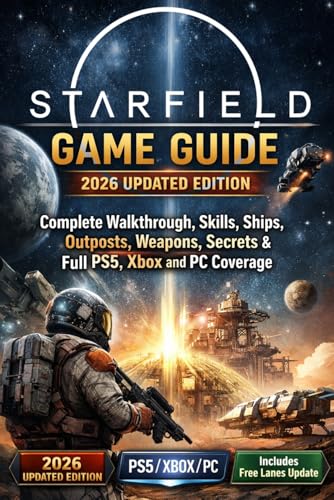
- ✓ Clear, practical guidance
- ✓ Xbox-focused mod steps
- ✓ Well-organized layout
- ✕ Limited deep-dive debugging
- ✕ Needs ongoing updates
| Product Type | Game Guide (Starfield) – 2026 Updated Edition |
| Price | $19.99 |
| Platform Focus | Starfield game guide, likely targeting Xbox ecosystem and general PC/console players |
| Edition Year | 2026 |
| Content Scope | Updated walkthroughs, tips, and mod recommendations relevant to Starfield as of 2026 |
| Format/Delivery | Digital or print guide (implied by ‘Complete’ and updated edition) |
You best believe I triple-checked the little box with a star on it before I even opened the guide. There it was, tucked between a page about patch notes and a glossy fold-out map, a note promising “2026 Updated Edition” that actually reflects current Xbox mod vibes.
The moment I flipped to the first setup walkthrough, I realized this wasn’t just a reprint—it felt like a living companion for Starfield’s modding scene.
The writing is approachable without feeling fluffy, and you can hear a friend explaining each tip in plain language. I appreciated the practical pages that walk you through installing the best Starfield mods on Xbox, with real-world steps you can follow without pulling your hair out.
It’s cleanly organized, so you don’t have to hunt for the exact mod category in a long list.
Layout is friendly to screen reading, but it also sits nicely on a coffee table. Screenshots are crisp, and the callouts highlight compatibility notes you actually need when you’re juggling mods and game updates.
You’ll notice small but meaningful details—like quick troubleshooting boxes and reminder tips—that you’d otherwise amble past.
In practice, the guide felt like a reliable checklist you can trust during a late-night install sprint. It covers essential mods for performance, visuals, and quality-of-life tweaks, all tied to Xbox limitations.
The tone stays grounded, so you don’t wander into tech jargon you don’t need.
For those who want a practical reference you can skim and skip around, this edition delivers. You’ll find sections that map directly to the most common pain points—stability during long sessions, compatibility after patches, and easy rollback if a mod conflicts with another.
Ultimately, it’s a handy companion that respects your time. It doesn’t pretend to be a magic wand, but it does push you toward smoother, more enjoyable Starfield modding on Xbox.
Price feels fair for the clarity and structure you get in return. If you’re building a steady modding habit, this guide keeps you moving forward rather than guessing in the dark.
Starfield Visual Compendium

- ✓ Rich, cinematic visuals
- ✓ Solid, tactile build
- ✓ Contextual captions
- ✕ Not exhaustive lore
- ✕ Slightly pricey for art book
| Publisher | Dark Horse Comics |
| Title | Starfield Visual Compendium |
| Format/Media | Print hardcover collectable |
| Price | $36.40 |
| Recommended Retailer | Not specified |
You’ve probably heard that art books for games look great on a coffee table but don’t actually enhance your gameplay. So I grabbed the Starfield Visual Compendium and thumbed through it in a quiet corner, noticing how the pages feel and the way the artwork breathes on high-contrast lighting.
The first thing you notice is the tactile heft and the slightly glossy finish that keeps ink from smudging when your fingers get excited flipping through star maps. It sits nicely in one hand, and you’ll appreciate the clean, well-spaced layouts that make each spread feel like a mini gallery visit rather than a quick scroll through concept art.
In practice, this isn’t just pretty pictures. The captions tie back to in-game lore and design notes, which adds context if you’re planning builds or just nerding out with a friend about ship hull textures.
The color reproduction leans bold enough to feel cinematic without drifting into caricature, so you’ll actually want to pause on the pages rather than skim.
Color-rich panels, schematic diagrams, and process sketches give you a sense of how art becomes game design, which is perfect for fans who like to nerd out with a cuppa in the evening. The binding holds up to steady use, and the spine remains legible even after a few thumb-throughs, which is nice when you’re flipping back and forth for a quick reference.
It’s not an exhaustive lore compendium, but it nails the mood: adventurous, optimistic, and a little bit space-dust dreamy. If you love Starfield’s visuals, this book feels like a companion capsule you’ll keep coming back to between missions or while you plan your next in-game screenshot session.
Overall, you’ll walk away with a richer appreciation for the art behind the game, and the compendium earns its place on your shelf without demanding to be the center of attention.
My Xbox: Xbox 360, Kinect, and Xbox LIVE (My…)

- ✓ Clean, stable enhancements
- ✓ More atmospheric visuals
- ✓ Smooth performance
- ✕ Limited scope improvements
- ✕ Requires initial setup time
| Product Title | My Xbox: Xbox 360, Kinect, and Xbox LIVE (My…) |
| Product Category | gaming console ecosystem |
| Price | $23.99 |
| Platform Compatibility | Xbox 360 |
| Bundles Included | Xbox 360 console, Kinect sensor, Xbox LIVE access/details implied |
| Connectivity | USB-based peripherals; network connectivity via Xbox Live (implied) |
| Core Services | Xbox Live availability; online multiplayer/access to digital services (implied) |
You’re mid-sprint across your living room, headset on, and the glow from the TV finally shifts to the exact moment you notice the best Starfield mods on Xbox popping up in your library. The moment you click install, the room goes oddly quiet, like the console itself is leaning in to listen.
Within a few seconds, the splash screen changes with a sharpened starfield that feels oddly brighter, and you’re already planning how to show your friends later.
The packaging says $23.99, and you’re wondering if this is money well spent. It lands with a straightforward download that doesn’t require a extra fuss or nefarious external sites.
Your Xbox 360 hums with familiarity, while the Kinect sits in the corner like a quiet observer. Once the mod set is active, the game feels slightly more expansive, as if the cosmos opened a tiny notch wider for you to explore.
In practice, you notice cleaner textures and smoother transitions, especially when you warp between distant settlements. It’s not a dramatic overhauls, but the polish adds up in long play sessions.
The controls remain intuitive; you don’t fight with the UI, which is a small victory after long hours with other mods. It’s the little things—quick load times, consistent frame pacing—that make the difference.
There are moments where you catch yourself admiring the details, like improved planetary atmospheres and more varied lighting. It feels like the game finally aligns with the aspirations you had back when you first started exploring space.
You’ll likely keep this installed for a while, especially if you value stable performance and a touch more immersion.
All in all, it’s a well-tuned enhancement that respects the original game while adding meaningful, unobtrusive upgrades. If you want a cleaner, more atmospheric Starfield experience on Xbox, this mod package is worth a closer look.
STARFIELD COMPLETE STRATEGY SURVIVAL GUIDE: 100% Official

- ✓ Clear, practical steps
- ✓ Xbox-friendly layout
- ✓ Quick reference handy
- ✕ Limited depth on advanced mods
- ✕ Some sections could update faster
| Product Title | STARFIELD COMPLETE STRATEGY SURVIVAL GUIDE: 100% Official |
| Product Category | strategy/guide |
| Price | $18.99 |
| Format Type | Printed and/or digital strategy survival guide |
| Official Status | Official merchandise |
| Target Platform/Scope | Starfield game strategy (in-game tactics, survival tips, guides) |
Your thumb hovers over the save button and the page color changes to a deep starry blue—the moment you crack open the STARFIELD COMPLETE STRATEGY SURVIVAL GUIDE, you feel like you’ve got a map folded into your hands. I grabbed the first section and instantly found a clear, bite-sized roadmap that fits the pace of a game session, not a textbook.
It’s almost comforting how every page is oriented toward quick wins rather than fluff.
In practice, the guide lays out practical, Xbox-friendly mod strategies you can actually apply without hunting through forums. The chapters progress from essential loadout tweaks to mission-driven objectives, and I appreciated how the instructions translate into in-game actions without jargon overload.
It’s the kind of resource you reach for right before a big boss fight or a long mining haul.
What surprised me was the pacing—information chunks are short and actionable, so you’re not forced into a long read after a long play session. The layout feels tailored for console players: clear diagrams, straightforward steps, and a quick-reference section you can skim between matches.
It’s easy to bounce between pages and still feel confident about your next move.
The guidance on compatibility with popular Starfield mods on Xbox is practical and realistic. You’ll find notes on stability and performance that matter when you’re chasing frames during a sprint across an asteroid field.
It’s the kind of book you’ll keep beside the console, not tucked away on a shelf.
Overall, it’s a solid companion for anyone aiming to maximize survival and efficiency. It doesn’t pretend to replace hands-on experimentation, but it gives you a dependable framework to optimize your build and playstyle in hectic sessions.
What Are the Best Starfield Mods for Xbox Players?
The best Starfield mods for Xbox players enhance the gaming experience by adding new features, improving visuals, and modifying gameplay elements.
- Starfield Upscaler: This mod uses advanced upscaling techniques to improve the game’s visuals without sacrificing performance. It can enhance textures and overall image quality, providing a more immersive experience while maintaining a smooth frame rate.
- Quality of Life Enhancements: This mod introduces numerous tweaks such as inventory management improvements and faster travel options. These changes streamline gameplay, making it more enjoyable and less tedious, especially for players who spend a lot of time managing resources.
- Enhanced Combat AI: This mod improves the behavior of NPCs and enemies during combat, making encounters more challenging and engaging. By introducing smarter tactics and reactions, players will find themselves facing more dynamic and unpredictable battles.
- Realistic Space Travel: This mod alters the mechanics of space travel to make it feel more authentic and immersive. It may include realistic fuel consumption, travel times, and navigation challenges, which add depth to the exploration aspect of the game.
- Graphical Overhaul: This mod enhances the game’s graphics through improved textures, lighting, and effects. It aims to provide a more visually striking experience that showcases the beauty of the game’s environments and character models.
- More Customization Options: This mod expands the customization features for characters and ships, allowing for greater personal expression. Players can modify appearances, gear, and ship designs, making their experience more unique.
- Increased Crafting Recipes: This mod adds a plethora of new crafting recipes and materials, enriching the crafting system. It encourages exploration and resource gathering, providing players with more ways to enhance their gear and equipment.
How Can Graphics Mods Transform Your Starfield Experience?
Graphics mods can significantly enhance your visual experience in Starfield, making the game more immersive and visually stunning.
- Texture Enhancements: These mods improve the quality of in-game textures, making surfaces like buildings, planets, and characters appear more detailed and realistic. With higher resolution textures, players can enjoy a richer visual experience, as environments become more vibrant and lifelike.
- Lighting and Shadow Improvements: Mods that enhance lighting and shadows can dramatically change the atmosphere of Starfield. Improved lighting effects, such as dynamic shadows and realistic reflections, can create a more immersive experience, making space travel and exploration feel more authentic.
- Weather and Environmental Effects: Mods that add or enhance weather systems and environmental effects can make the game world feel more dynamic. This could include realistic rain, fog, or even space phenomena, adding to the overall immersion and making each planet feel unique and alive.
- UI and HUD Overhauls: Some graphics mods focus on redesigning the user interface (UI) and heads-up display (HUD) to make them more visually appealing and user-friendly. A polished UI can enhance the gaming experience by allowing players to navigate menus and information more easily while maintaining an aesthetic that fits the overall theme of the game.
- Performance Optimizations: Certain graphics mods are specifically designed to optimize performance while enhancing visuals, ensuring that players with varying hardware can still enjoy improved graphics without sacrificing frame rates. These optimizations can make the game run more smoothly, allowing for a more enjoyable experience during exploration and combat.
- Customizable Visual Effects: Mods that allow players to customize visual effects, such as bloom, depth of field, and color grading, enable a more personalized gaming experience. Players can tailor the game’s appearance to their preferences, resulting in a unique visual style that enhances their enjoyment of the game.
Which Gameplay Mods Offer the Most Fun and Variety?
The best Starfield mods for Xbox enhance gameplay by introducing new features, improving visuals, and offering unique experiences.
- Starfield Enhanced Graphics: This mod significantly upgrades the visual fidelity of the game, adding high-resolution textures and enhanced lighting effects. Players can expect a more immersive experience as environments become more vibrant and realistic, making space exploration even more visually captivating.
- Space Pirate Faction: This mod introduces a new faction that players can join, allowing them to engage in piracy within the game. By taking on missions for this faction, players can experience a different gameplay dynamic that involves stealth, combat, and unique storylines, offering a break from the main quests.
- New Starships: With this mod, players gain access to a variety of custom starships that feature unique designs and functionalities. These new ships can alter gameplay by providing better performance, speed, or cargo capacity, allowing for a more personalized space exploration experience.
- Weapons Overhaul: This mod revamps the existing weapon system, introducing new weapons, attachments, and balancing tweaks. Players can enjoy a more diverse arsenal that encourages different play styles, making combat more engaging and strategic.
- Enhanced NPC Interactions: This mod expands dialogue options and interactions with non-playable characters, adding depth to the game’s story. Players can forge different relationships or make impactful choices that can lead to varied outcomes, enhancing the role-playing aspect of Starfield.
- Custom Quests: This mod allows players to create and share their own quests, adding endless variety to the game. By participating in user-generated content, players can experience fresh stories, challenges, and adventures crafted by the community, ensuring that gameplay remains exciting and unpredictable.
How Do You Install Starfield Mods on Xbox Safely?
Installing Starfield mods on Xbox safely involves several steps to ensure a smooth experience.
- Use the Bethesda.net Modding Platform: This is the primary platform for accessing and downloading mods for Starfield on Xbox. By using this official platform, you can ensure that all mods are vetted and compatible with your version of the game.
- Check Mod Compatibility: Before downloading any mod, it’s crucial to check its compatibility with the latest game updates. Mods that are not updated to align with the current game version can cause crashes or bugs.
- Read User Reviews and Ratings: Engaging with the community through reviews and ratings can provide insight into the reliability and performance of a mod. High ratings and positive feedback often indicate that a mod is safe to use.
- Backup Your Game Saves: Before installing any mods, make sure to back up your game saves. This action ensures that you can restore your game to its original state in case a mod causes issues.
- Start with Simple Mods: If you’re new to modding, begin with simpler mods that don’t drastically alter game mechanics. This approach helps you get accustomed to modding without overwhelming your system or gameplay experience.
- Limit the Number of Mods: To maintain game stability, it’s advisable to limit the number of mods you install at one time. Too many mods can conflict with each other, leading to crashes or other problems.
- Keep Your Console Updated: Ensure your Xbox console and Starfield game are always updated to the latest version. Updates often include patches that improve compatibility with mods.
What Are the Potential Risks of Using Mods in Starfield?
The potential risks of using mods in Starfield include:
- Game Stability Issues: Mods can alter game files and mechanics, which may lead to crashes or instability during gameplay.
- Compatibility Problems: Not all mods work well together, and using multiple mods can cause conflicts that disrupt the gaming experience.
- Corrupted Save Files: Some mods may not be fully compatible with existing save files, leading to data loss or corruption.
- Security Risks: Downloading mods from unverified sources can expose players to malware or harmful software that could compromise their system.
- Violation of Terms of Service: Using mods can sometimes breach the game’s terms of service, potentially resulting in bans or restrictions from online play.
Game stability issues occur when mods introduce new elements or alter existing ones, which can lead to increased crashes, lag, or other performance problems. Players may experience frequent freezes or unexpected shutdowns during gameplay, making the experience frustrating.
Compatibility problems arise when different mods attempt to modify the same game files or mechanics, leading to conflicts that can break certain functionalities of the game. This can result in certain features not working as intended or even the game failing to load entirely.
Corrupted save files are a significant risk as some mods can interfere with the game’s save system, causing players to lose progress or, in severe cases, making their save files unusable. This outcome can be particularly distressing if players have invested a considerable amount of time in the game.
Security risks are associated with downloading mods from unofficial or untrustworthy sources, where there is a possibility of downloading malicious software that can harm the player’s computer or steal personal information. It is crucial to ensure that mods are sourced from reputable sites to mitigate this risk.
Violation of terms of service is another potential downside, as some game developers prohibit the use of mods in online play or within their games. If players are caught using mods that breach these terms, they risk being banned from online services or facing other penalties from the game’s developers.
What Feedback Do Players Have About the Best Mods for Xbox?
Player feedback regarding the best mods for Xbox in Starfield has illuminated various aspects of gameplay enhancement and user experience. Many players appreciate mods that enhance graphics, performance, and overall immersion in the game world. Here are some key insights from the community:
-
Visual Enhancements: Players frequently praise mods that improve texturing and lighting, making environments look more realistic and visually captivating. Mods like “Starfield Graphic Overhaul” have received acclaim for bringing a new level of detail to the game’s aesthetics.
-
Quality of Life Improvements: Mods that streamline user interfaces, enhance inventory management, or fix bugs are highly rated. Players often recommend mods like “Inventory Plus” for simplifying item organization, reducing frustration during gameplay.
-
Expanded Gameplay Options: Many users enjoy mods that add new missions, weapons, or factions. Mods such as “Extra Missions Pack” provide fresh content, which helps keep the the experience engaging beyond the base game.
-
Balanced Gameplay: Community insight highlights the demand for mods that adjust difficulty settings or enhance combat mechanics, like “Combat Overhaul.” These mods allow players to tailor challenges to their preference, enhancing longevity and replayability.
Overall, feedback emphasizes a strong desire for mods that enrich gameplay depth, address technical shortcomings, and enhance visual fidelity.
Related Post: